Solutions for freelancers, companies and accountants
From your first invoice to working across several organizations. Find your use case and the modules that fit your work.
Compare plansBy type of business
How service businesses, marketing agencies, freelancers, SaaS companies and accounting firms work in smetni.
- Service businessesQuotes, invoices, reminders and payments.
- Marketing agenciesMonthly fees, campaigns and ad spend.
- FreelancersInvoices with or without VAT, for clients at home and abroad.
- SaaS companiesBulgarian invoices from Stripe and clients worldwide.
- Accounting firmsEvery client's documents, bank and ledgers, with one login.
Self-employed
Invoices and expenses when you work on your own
When you work independently, paperwork should not take up your day. Save your clients and services and reuse their details on the next invoice.
Issue the document
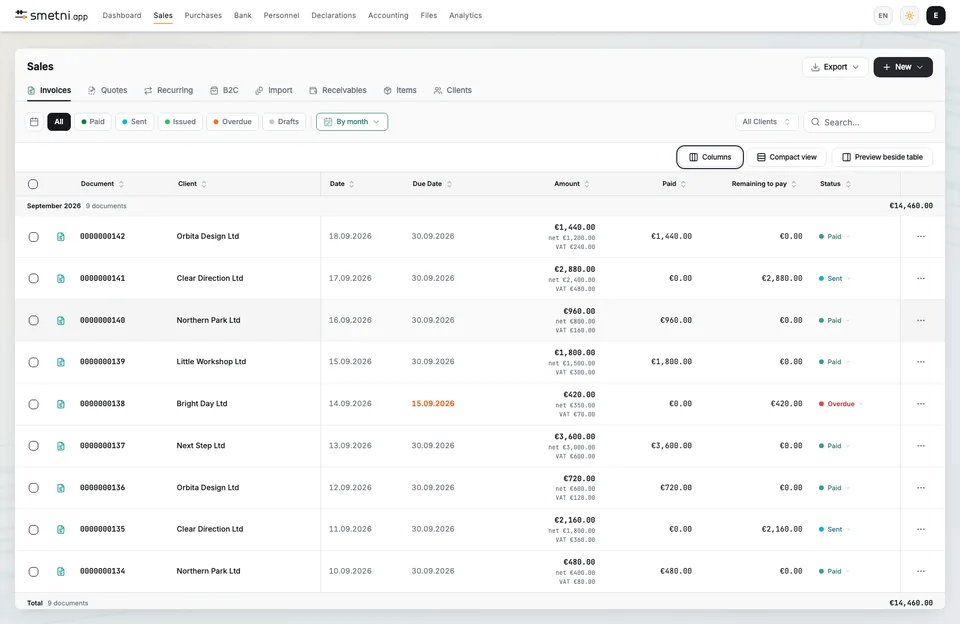
Choose a client and items, review the amounts and issue an invoice with automatic numbering.
Send and follow up
Email the document with a link to the client portal and keep track of outstanding amounts.
Keep expenses in order
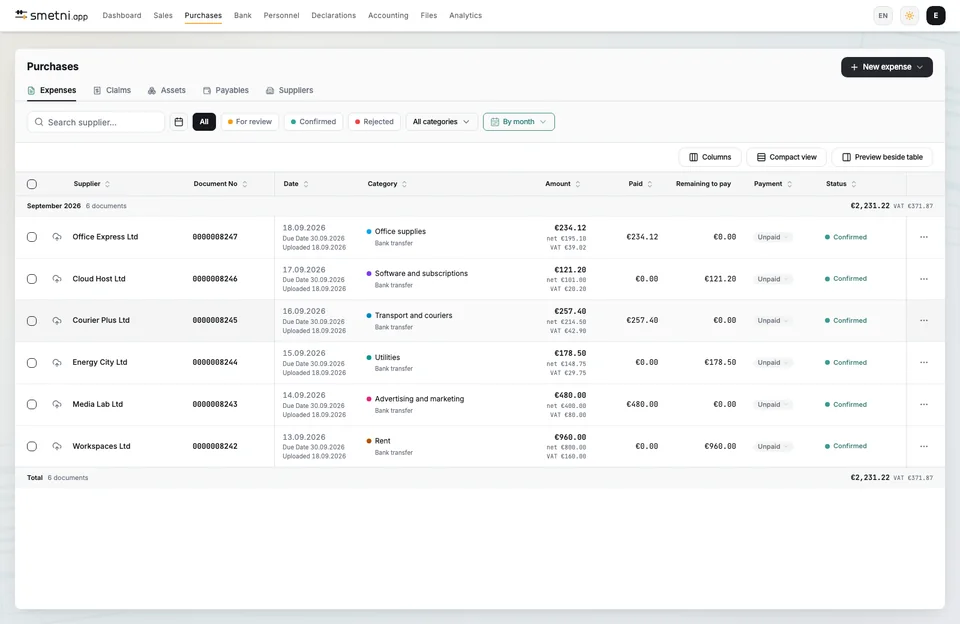
Upload a PDF or photo in Purchases. Review the recognized data before confirming it.
Modules for this workflow
Small business
One organisation for the whole team
Sales and expenses belong to one organization. Each participant signs in with their own account and works within their assigned role.
Work with the same data
Clients, documents and amounts are shared with your team. There is no need to pass different versions between colleagues.
Connect documents and payments
Reconcile bank transactions with invoices and expenses, and check the amounts still outstanding.
Send reminders on a schedule
Set up reminders for overdue invoices. They are included from Pro upwards.
Modules for this workflow
Enterprise
Integrations, roles and many organisations
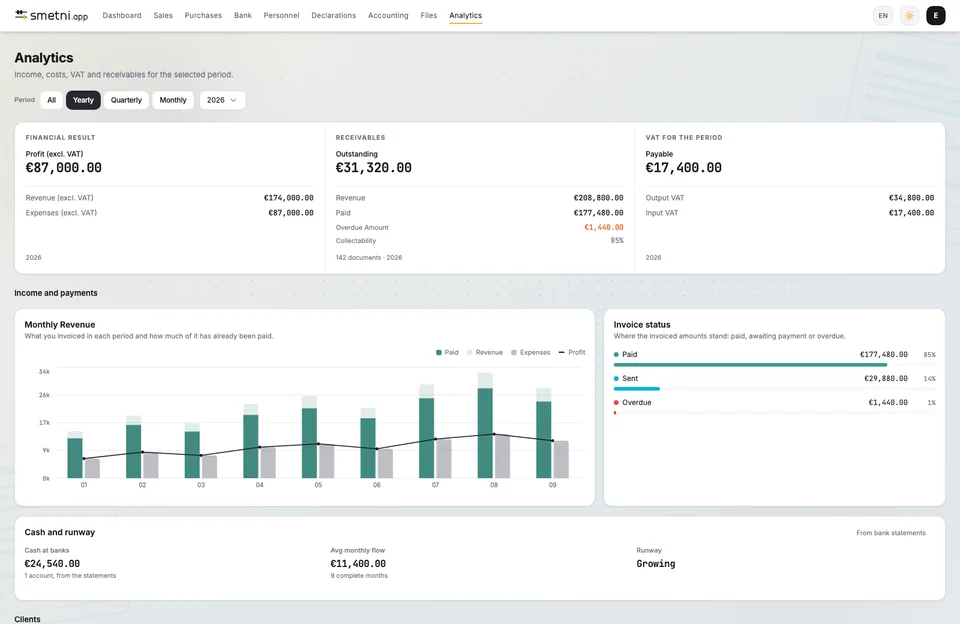
Organize work across teams and companies. Connect recurring operations and review results in the context of each organization.
Automate recurring work
Once the integration is configured, paid Stripe invoices to customers with a company ID or VAT number become Bulgarian invoices. Recurring documents are issued on the schedule you set.
Separate companies, convenient access
Switch between organizations from one account. Documents and participant access remain separate for each company.
Connect your own systems
API keys are included in Enterprise. Talk to us about your volumes, required integrations and working arrangements.
Modules for this workflow
Accountants
Access to your clients' organisations
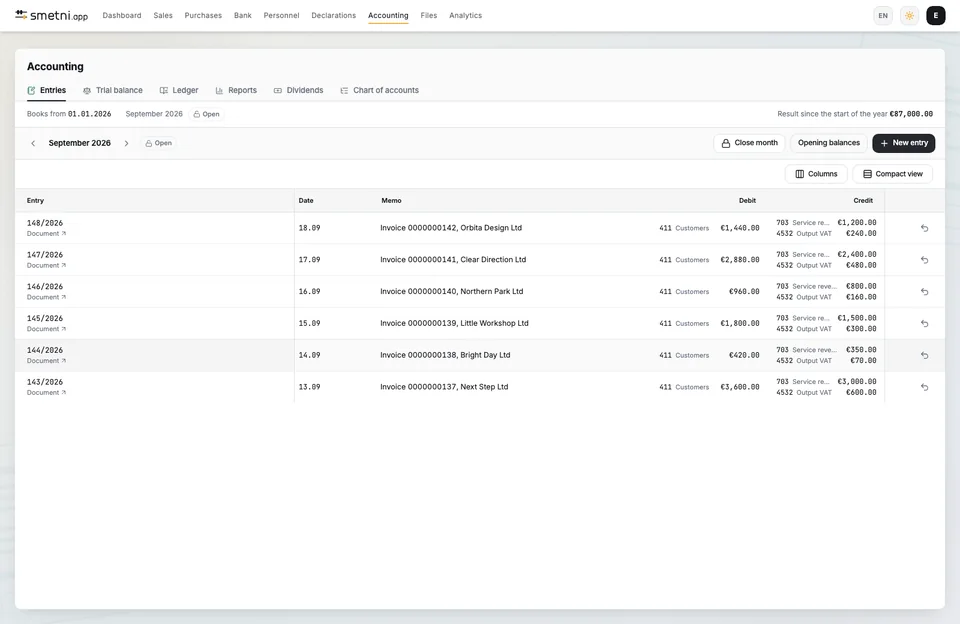
Work in each client organization with your own access. Documents, bank transactions and accounting entries stay connected.
A separate organization for each client
Switch between the companies you can access without mixing their documents or settings.
Review before reporting
Review recognized expenses, reconcile bank transactions and trace the source of an accounting entry.
Prepare the monthly close
Review the trial balance, general ledger and journals. Prepare reporting files after checking the data.
Modules for this workflow
Which plan to choose
Compare modules and limits, or tell us how your team works. We can help you find your way.
Each organization has its own plan and access based on participant roles.
Numbering, VAT scenarios and mandatory details under the VAT Act.
Invoice data is stored in data centers within the European Union.
Encryption at rest and in transit.
Backups every day, restorable when needed.